Split Testing is Now Available on Facebook

screen-shot-2016-10-21-at-9-13-22-am

Facebook is now starting to roll out Split Testing in Ads Manager, which is essentially an easier way to test different variables in ad campaigns to see which ones perform the best. In the past you would have to run separate ad sets to perform tests like this, but wasn’t necessarily a pure A/B test. This is something that Google AdWords has offered for some time, allowing campaigns to experiment and split test. It’s a much welcomed addition to the Ads Manager as one strategy, targeting method, or ad objective that works great for one campaign doesn’t necessarily work the same for others.

So if you’re still having internal debates over whether this ad campaign should optimize for Website Clicks or Conversions, now you can run a split test and see which actually does the best. Learn what works the best for different campaigns and maybe you’ll unearth something totally unexpected.

Have you ever wanted to easily test the same ad on two different audiences to see which performed better? Or maybe you’d like to figure out which optimization type yields the best results, optimizing for Conversions or Link Clicks? Advertisers run tests to identify the best ad performance on Facebook, Instagram and Audience Network and to understand how changes in different aspects of their ad can impact ad performance. Tests like this need to be set up fairly so that advertisers can understand the true impact of their ad strategies on the performance of their ads.
How to Uncover (Direct/None) Referral Traffic in Google Analytics

logo_lockup_analytics_icon_horizontal_black_2x

Have you noticed in your client’s Google Analytics that certain sources are not being identified clearly in Source traffic? One of the best ways to alleviate this issue is to use URL Parameters modifiers to essentially call out where the traffic is coming from. This helps GA tag the traffic coming in and sorting it into its own specific source, which allows you to identify and confirm the referral source.

screen-shot-2016-09-08-at-8-01-45-pm

This is an issue I know most marketers are aware of as (Direct/None) traffic can be a number of things. It’s not very likely that every one of your customers is typing in the long, specific URL every single time though. What’s more likely is that Google doesn’t know exactly how to sort the traffic or identify where it’s coming from.

I recently identified this issue for a website who’s Facebook tracking wasn’t firing and Analytics wasn’t reporting much referral traffic coming from Facebook, despite plenty of paid ad clicks. So looking through GA you’re likely to notice a large portion of traffic from Direct/None and while it’s unlikely to ever uncover 100% of the unknown traffic, you can tag URL’s from traffic that you know you’re driving, to help close the loop.

So how do you accomplish this? Below are a few quick steps to use URL Parameters to tag your traffic for GA to more easily sort. Note, this specific example was for tagging Facebook referral traffic.

1.) Identify that your ad traffic definitely isn’t being reported accurately in Google Analytics.

2.) Pull the URL of wherever you are driving traffic (i.e. example.com/product)

3.) In the case of Facebook, you’ll add the following URL Parameter at the end of the url:

?source=facebook (i.e. example.com/product?source=facebook)

4.) Copy and paste that URL into your browser to make sure it doesn’t cause any errors or unexpected reroutes.

5.) After sufficient clicks on your ad using this URL Parameter, go into your Google Analytics > Behavior > Content > All Pages. This will allow you to see what pages all of your users are landing on.

6.) Using the URL Parameter you set up earlier you can identify that specific landing page (example.com/product?source=facebook), which you’ve tagged as coming from a specific source. In this case it’s a Facebook ad, so GA will sort out that traffic and label it with the new URL so you can easily identify this traffic is in fact coming from your Facebook ad — breaking it out of the ambiguous Direct distinction.

You’ve now uncovered your referral traffic out of (Direct/None) in Google Analytics!


Micro Moments: Be Present, Be Personal, Be Persuasive

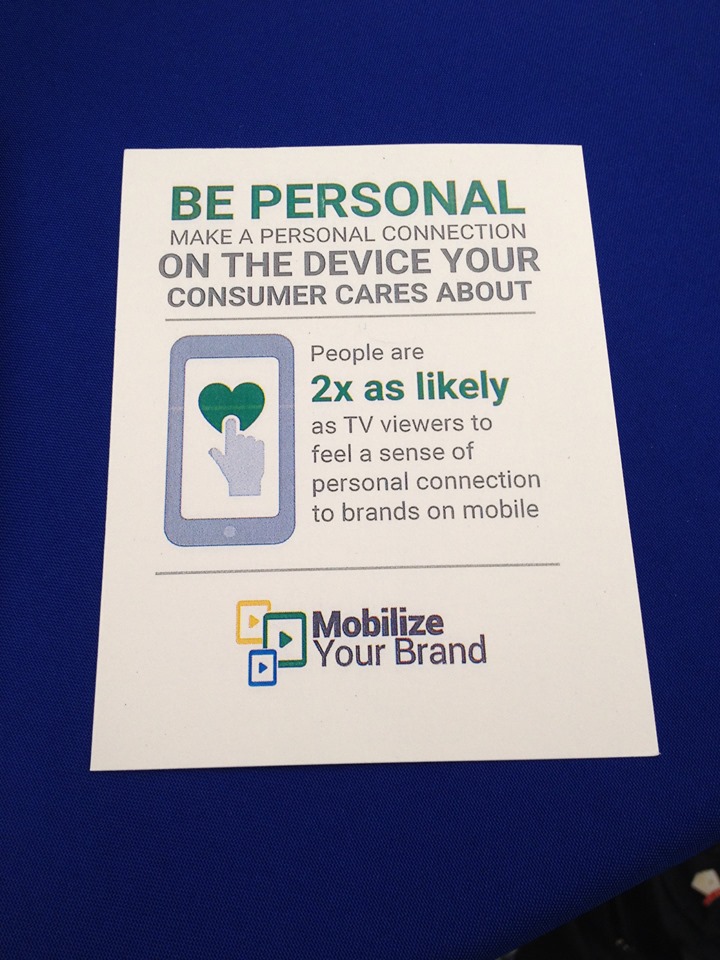
“People are 2x as likely to feel a personal connection to brands on mobile.”

Micro Moments  are changing the way users are searching, particularly in mobile. With the omnipresence of smartphones, users are able to search for anything when an impulse strikes, creating these “I Want to Learn, I Want to Find, I Want to Do, I Want to Buy” moments. Taking advantage of the omnipresence of mobile, users decide on the fly what they want to look up, research and purchase in the spur of the moment.

These Micro Moments create a demand for relevance, which establishes a higher level of expectations.

“When we act on our needs in-the-moment, our expectations are high and our patience is low. This makes the quality, relevance, and usefulness of marketing more important than ever.” – Think With Google

google_mobile

  • Be Present, Be Personal, Be Persuasive
    • In mobile it’s all about serving the right message to the right person at the right time. Crafting a highly relevant message, that is present at the right time and optimized for the channel and device will win.
  • ⅓ of mobile usage occurs in the home so we aren’t necessarily targeting someone “on-the-go” which is why Cross Device Conversions become such a huge metric.
    • Cross Device Conversions help campaigns follow the users along the path to a conversion, regardless of where they started. If a user has a Micro Moment, performs a mobile search to learn more, but then converts later via desktop, without tracking Cross Device, we would not be able to properly attribute that.

Reporting Facebook Conversions (Accurately)

Confused by your conversion data on Facebook? Seeing data trickle in or maybe conversions are missing from your insights? Facebook reports all conversions as a “Conversion,” whether it’s a View Through Conversion or a Direct Conversion; Facebook does not differentiate like Google does. So that’s why it’s important to set the “Attribution Window” appropriately and leave yourself the right amount of time if trying to match up conversions with Google Analytics or a client’s CRM data. 

How Facebook Defines Conversions:

Facebook bundles everything into the one “Conversion” metric. The default attribution model is this:

– User Viewed Ad and Converted Within 1 Day

– User Clicked Ad and Converted Within 28 Days

To adjust this, go to your Ads Manager, click on “Columns” and select “Customize Columns.”

Facebook Customize Columns


In the bottom right hand side of this menu you will see what the Attribution Window is currently set to with the option to adjust it.

Facebook Attribution Window


Set your Attribution Window appropriately, give the campaigns the same amount of time to sync up with your Analytics or client back-end system and your reporting headaches should be gone!