Tag: Ads Manager

  • Split Testing is Now Available on Facebook

    screen-shot-2016-10-21-at-9-13-22-am

    Facebook is now starting to roll out Split Testing in Ads Manager, which is essentially an easier way to test different variables in ad campaigns to see which ones perform the best. In the past you would have to run separate ad sets to perform tests like this, but wasn’t necessarily a pure A/B test. This is something that Google AdWords has offered for some time, allowing campaigns to experiment and split test. It’s a much welcomed addition to the Ads Manager as one strategy, targeting method, or ad objective that works great for one campaign doesn’t necessarily work the same for others.

    So if you’re still having internal debates over whether this ad campaign should optimize for Website Clicks or Conversions, now you can run a split test and see which actually does the best. Learn what works the best for different campaigns and maybe you’ll unearth something totally unexpected.

    Have you ever wanted to easily test the same ad on two different audiences to see which performed better? Or maybe you’d like to figure out which optimization type yields the best results, optimizing for Conversions or Link Clicks? Advertisers run tests to identify the best ad performance on Facebook, Instagram and Audience Network and to understand how changes in different aspects of their ad can impact ad performance. Tests like this need to be set up fairly so that advertisers can understand the true impact of their ad strategies on the performance of their ads.
  • Automate More, Worry Less with Automated Rules on Facebook

    screen-shot-2016-09-26-at-4-18-26-pm

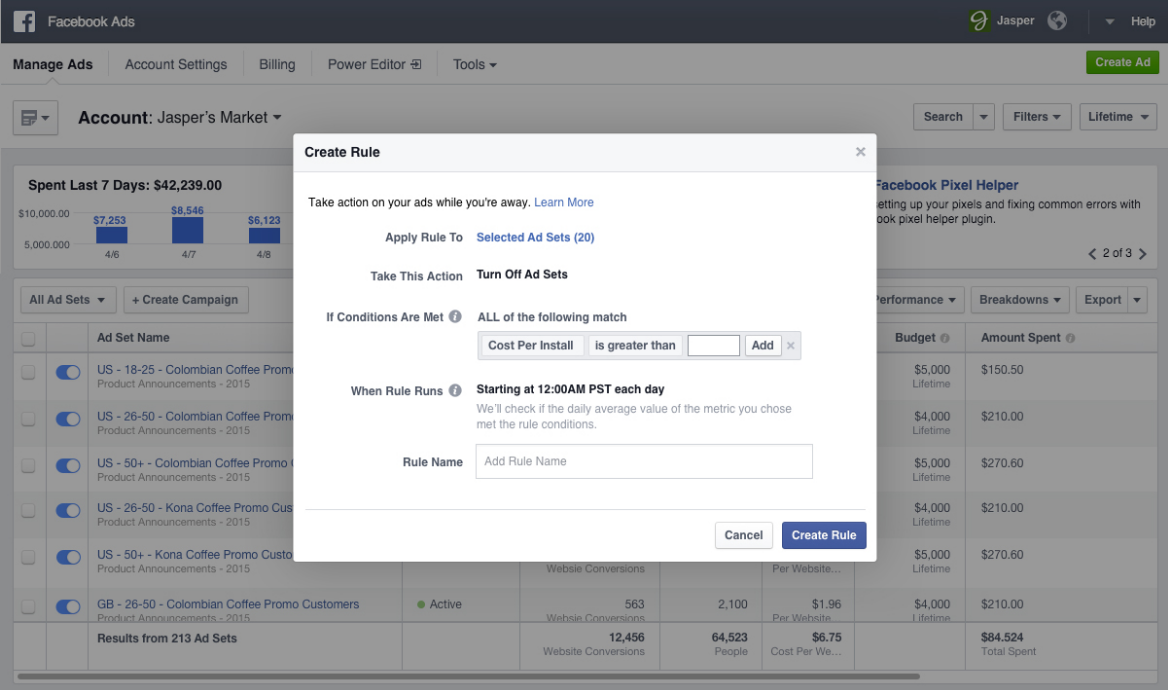
    If you’re like me and don’t want to double check your Facebook ad campaigns every day to monitor certain thresholds you’ve set, such as a target Cost per Acquisition, then you will be psyched to learn about Facebook’s latest feature: Automated Rules. Automated Rules allow you to automate your campaigns to turn off when they hit certain thresholds or meet certain conditions, as well as notify you.

    screen-shot-2016-09-21-at-11-15-26-am

    For example, if you want to keep your Cost per Click under $1, but don’t want to check it every single day to monitor, using Automated Rules you can set your ad to turn off if the CPC goes over $1 as well as send you a notification about it.

    Another example that could be especially useful for Remarketing campaigns revolves around Frequency. Remarketing campaigns are obviously great for a more targeted and interested user, but with that comes a smaller audience size. With this smaller audience, it is much easier to see Frequency numbers get out of hand and have users being served the same ads over and over again, which will kill your Relevance Score. So you can now set your target threshold using Automated Rules and have your ad shut off as well as alert you if the Frequency goes higher than you’d like it.

    This could save marketers a ton of time if you manage a lot of ads and ad campaigns for larger clients, but don’t want to spend time double checking certain key metrics for every ad every day.

    Facebook is rolling this feature out now as they do with all new updates, but I only first saw it last week. So if you haven’t seen it yet, keep your eyes peeled.

  • Stop Starting from Scratch On Your Facebook Ads

    Screen shot 2016-08-22 at 9.08.14 AM

    If you miss a new update to the Facebook Business Manager it’d be hard to blame you as it seems there are new updates dropped in all the time unannounced. Just recently Facebook added the new feature to essentially save a draft of an ad campaign while still in creation. And it’s not only just for a few hours as I started making a new campaign on Friday and left before finalizing the ads.  I came back on Monday morning and after selecting Create a Campaign, my previous ad was automatically populated and ready to go. Everything from ad copy to creative imagery. No more starting from scratch!