Tag: Social Media Marketing
-
Automate More, Worry Less with Automated Rules on Facebook

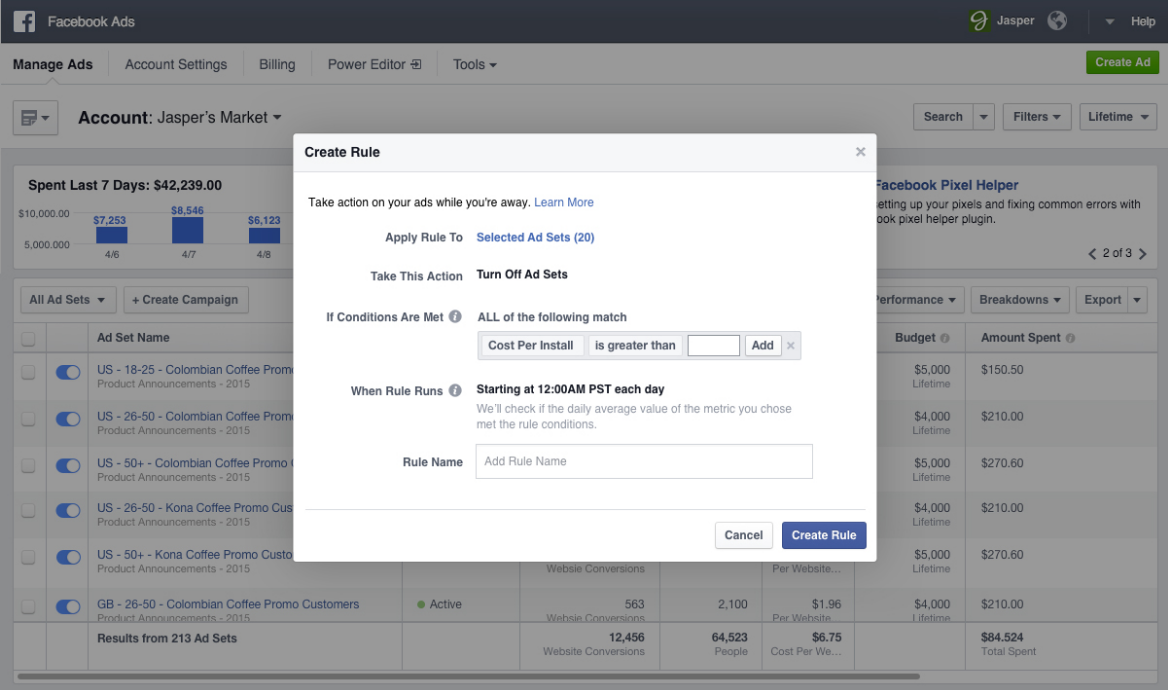
If you’re like me and don’t want to double check your Facebook ad campaigns every day to monitor certain thresholds you’ve set, such as a target Cost per Acquisition, then you will be psyched to learn about Facebook’s latest feature: Automated Rules. Automated Rules allow you to automate your campaigns to turn off when they hit certain thresholds or meet certain conditions, as well as notify you.

For example, if you want to keep your Cost per Click under $1, but don’t want to check it every single day to monitor, using Automated Rules you can set your ad to turn off if the CPC goes over $1 as well as send you a notification about it.
Another example that could be especially useful for Remarketing campaigns revolves around Frequency. Remarketing campaigns are obviously great for a more targeted and interested user, but with that comes a smaller audience size. With this smaller audience, it is much easier to see Frequency numbers get out of hand and have users being served the same ads over and over again, which will kill your Relevance Score. So you can now set your target threshold using Automated Rules and have your ad shut off as well as alert you if the Frequency goes higher than you’d like it.
This could save marketers a ton of time if you manage a lot of ads and ad campaigns for larger clients, but don’t want to spend time double checking certain key metrics for every ad every day.
Facebook is rolling this feature out now as they do with all new updates, but I only first saw it last week. So if you haven’t seen it yet, keep your eyes peeled.
-
Store Visits Tracking from Facebook Hits the Shelves

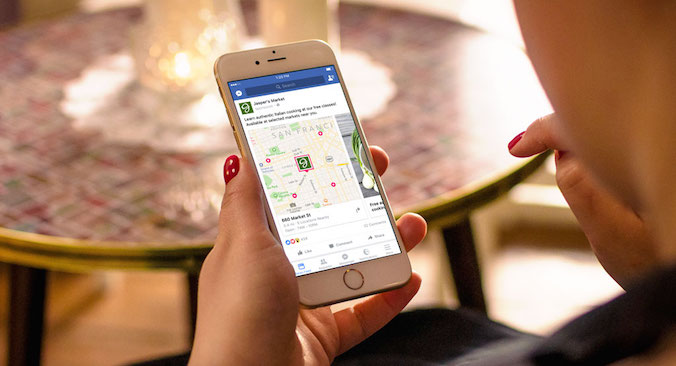
Unless you’re a big brand or agency, you probably haven’t gotten direct access yet to Store Visits tracking on Google or Facebook. It looks like Facebook is now rolling out their version of the metric with a new ad objective.
“With over 90% of all transactions still taking place offline, driving customers into a store, restaurant, auto dealership or other place of business remains a primary marketing objective for any advertiser with brick-and-mortar locations.”
Essentially the feature allows you to determine how many users visited your business location after clicking on a Facebook ad. While this is exciting news to anyone that advertises on Facebook, there are minimum thresholds that need to be met before FB will grant eligibility.
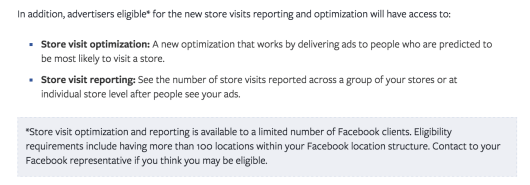
This has been something marketers have been craving for as long as digital has been driving sales. Everyone has micro-moments, everyone does research online and many people make purchases online, but what about the people that just go into a store to make the final purchase? If not attributed directly or proper expectations are not set, marketers can oftentimes be left out to dry by the gap in data. So while it remains to be seen how well this new ad type will work, it is quite exciting for any brick and mortar locations.
“This objective has been specifically created for brick and mortar businesses who want to reach customers in the right location, with localized ad content and the ultimate goal of driving customers in-store. Additionally, over the next couple weeks, we are rolling out enhancements to the Store Visits objective which will allow you to not only report on store visits, but optimize your ads towards those most likely to visit.”
Facebook is describing this as the “Evolution of Local Awareness on Facebook and Instagram.” They might be right.
-
Snapchat Just Made it Even Easier to Create Custom Geofilters

Snapchat has just made it even easier for businesses to create their own custom Geofilters. Snapchat Geofilters are one of the best ways to quickly and easily get brand awareness. Of course just even making them for fun (or as a product to sell) works too. I recently made a Geofilter for a wedding, geofenced it to the block that the hotel was on and Bam, all my snaps had that extra flair. Plus these are super inexpensive if you are only targeting small areas, but they can get a bit pricey when targeting large parts of a city. So choose wisely as these may be better for specific events rather than an ongoing campaign based on your budget. The big update is that Snapchat now offers tools on the platform itself to create your own Geofilter without any design knowledge needed. So no more Photoshop skills necessary!
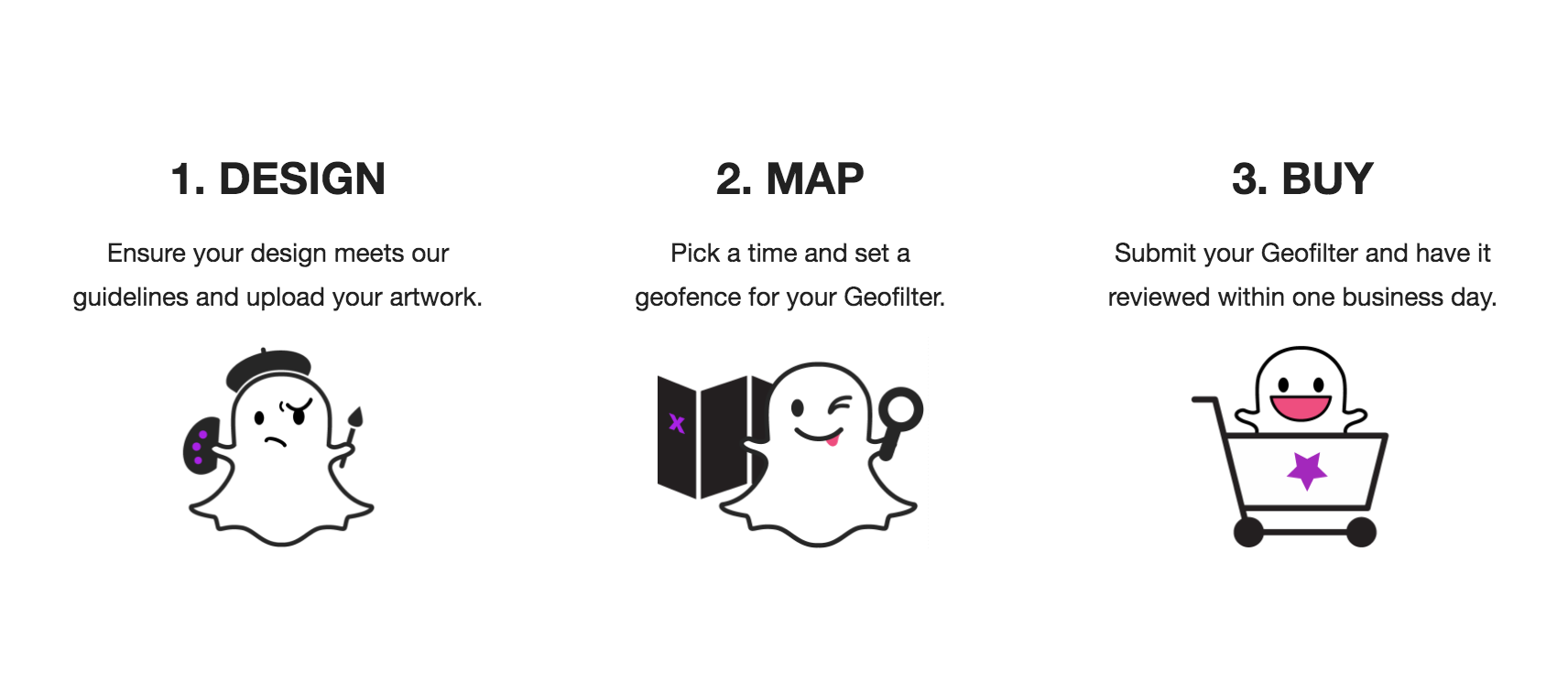
- Go to Snapchat.com and click on the Snapchat Geofilter link at the top of the screen.

- Click On Demand to create and schedule a Geofilter for a specific time and location.
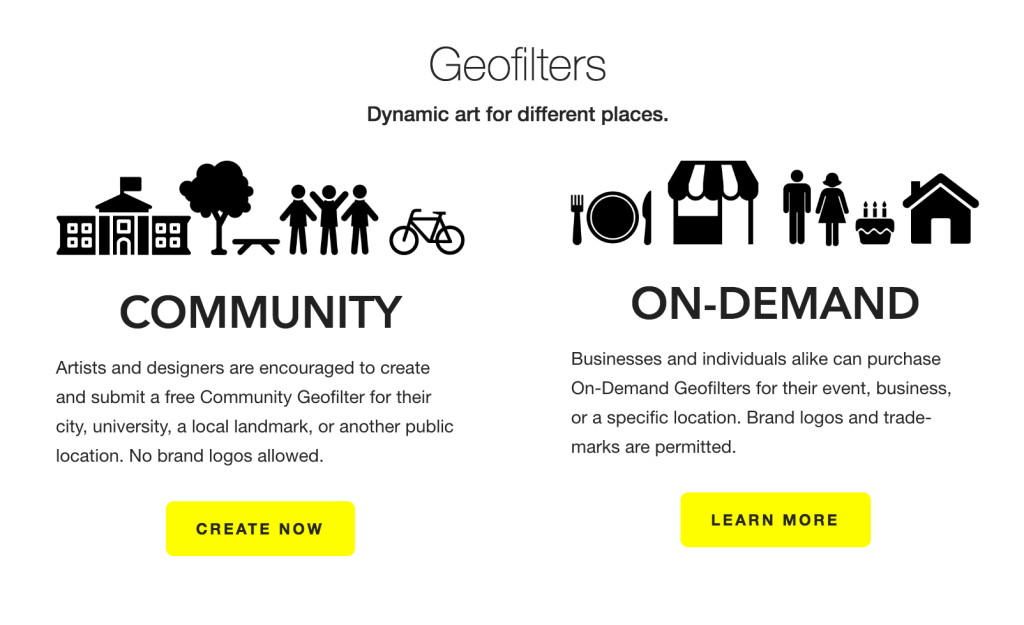
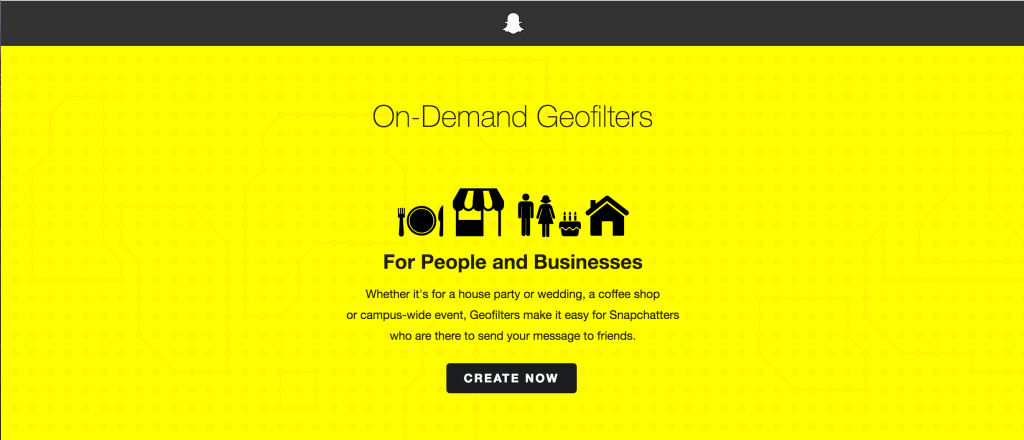
- Once you’re on the On-Demand Geofilter page click Create Now.
- Review the guidelines Snapchat has laid out for best practices

- Click Create Online (previously you would have had to build on one your own or use a generic template).

- Welcome to the Snapchat tools section, now experiment and create something!

-
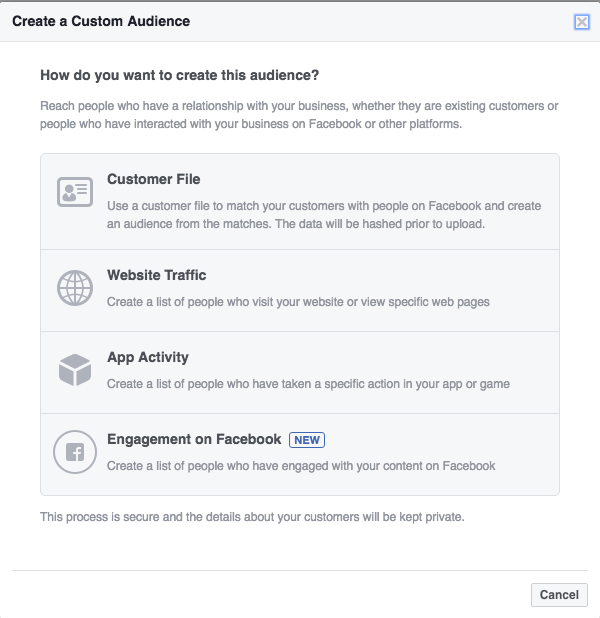
How to Bring Your Offline Customers Online with Facebook Advanced Matching

Facebook continues to roll along towards it’s goal of being omniscient by identifying more and more layers of audiences for marketers to target. With the recent updates to the Custom Audience Interface for Advanced Matching, Facebook makes it possible to target a custom audience even more accurately than before.
In the past, when Custom Audiences were first introduced you needed to have a customer email address and then hope it matched up with the email address they used on their Facebook account. Unsurprisingly the match rate wasn’t incredibly high. Then Facebook introduced phone number matching, which helped a bit. But now with the Advanced Matching update you can use those data points plus, first and last names, DOB, gender, zip and more.
Now while on the surface this may not seem that exciting, but just imagine some of the possibilities for certain campaign types. Facebook even says it itself:
“With this update, you will be able to leverage the offline customer data you have (e.g. direct mail data, voter file) to find your most valuable customers on Facebook.”
So if you were running a political campaign and knew exactly who your voter base was, you could upload that file and hit those exact people on Facebook rather than relying on demos and interest targeting! Or even using that offline voter information to target users on Facebook with Lead Ads to gather more info to add to your other marketing platforms like an email list. Round and round we go. This could help politicians drive much higher lift, brand recall and ultimately improve sentiment rating if they’re hitting their offline users with a specifically targeted message on Facebook to the same audience.
You could also use this feature to provide air support for any traditional marketing you’re running. So if you’re running a direct mail campaign, use that same data you have and apply it to Facebook to hit the same users, at a much higher match rate, to provide that digital support for your traditional campaign. Currently, Facebook says from early tests, clients have been able to match 54% of their offline customer base. Not too shabby.
“By reaching your offline audiences online with relevant marketing messages, you will be able drive greater success for your Facebook campaigns, while boosting the performance of your direct mail marketing via simultaneous offline and online messaging.”
-
How to Create a Facebook Sales Funnel for Your Website
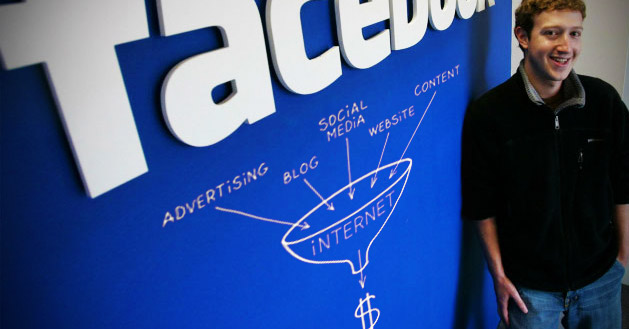
Photo via BoostLikes.com With the insane level of targeting and reporting that advertisers can access on Facebook, it would be shortsighted to not take advantage of everything available. I’m going to give a quick breakdown of an easy and effective way to create a Sales Funnel from your Facebook ad campaigns, so you can track how users are interacting with your site, what’s drawing them in and what’s driving them to convert.
We’re going to utilize the Facebook pixel and the various Standard Events in the code to measure people coming through the funnel all the way to shopping cart abandonment and ultimately a purchase.
So the 10 Standard Events in the Facebook Pixel allow us to identify and tag users based on what pages they’re visiting, how they’re using the site, as well as if they are bouncing out at a certain point or (hopefully) making a purchase on your site. These Standard Events are listed below:
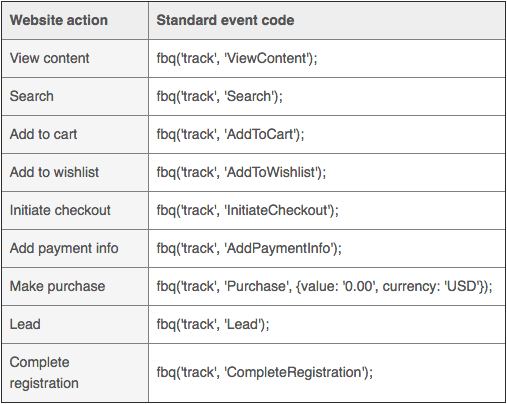
Be sure to include the Standard Event line of code in your pixel for the corresponding landing page. If you want to double check or have any questions on how to edit and place the code you can refer to the Facebook Pixel Implementation Guide. The Facebook Pixel Helper is also a great Chrome extension that helps identify if your pixels are live and placed correctly on a page. Additional Pixel Troubleshooting from the Facebook developers.
What you’ll want to do is map out the path to purchase on your website so you know which Standard Event to place on which page.- View Content: This is most useful if there is a specific page on your site that you identify as a key page view such as the product page, the additional info page, a landing page with more details that could lead to a purchase etc.
- Search: This will help identify if users are getting to your site and performing searches in your search bar. If they are, but you’re still not seeing sales you may need to revisit your targeting as users may not be finding the relevant content/product that they thought they would.
- Add to Cart: Key step to track how many people are starting the checkout process vs finishing an order. Drop offs are useful for measuring shopping cart abandonment and retargeting, but can also point out red flags in user experience if people are not converting after adding to cart.
- Add to Wish List: A great way to track extremely interested users who maybe weren’t ready to pull the trigger yet.
- Initiate Checkout: The strongest indicator of purchase intent and one of the main steps to measure the path to purchase.
- Add Payment Info: Again measuring drop offs here will be key.
- Purchase: The name of the game; tracking conversions and using that data to optimize your ads further. You can also identify the value of a sale if you have different Thank You pages for different products
- Lead: This is useful if you are having users fill out a form, redeem a free trial etc. rather than making a purchase.
- Complete Registration: Useful for identifying users that sign up for a service or a subscription through a registration form.
- Other: Use this to track any other key actions on your website that aren’t listed above.
Using these Standard Events as qualifiers, what you want to do is place the corresponding code on each page all the way from a Page View down to a Conversion. So you would have the standard pixel on the landing page, Add to Cart on the first step in the cart page, Initiate Checkout page gets its own pixel code, same for Add Payment Info and Purchase. Now if you have other relevant pages on the site then you’ll want to add the additional codes to those such as View Content for a key page view and the like.
In the end this will help you identify how many people came into the funnel at the top, how many came out the bottom with a purchase and exactly how many dropped off and at what part of the process so you can re-engage or tweak your campaigns.
-
Stop Starting from Scratch On Your Facebook Ads

If you miss a new update to the Facebook Business Manager it’d be hard to blame you as it seems there are new updates dropped in all the time unannounced. Just recently Facebook added the new feature to essentially save a draft of an ad campaign while still in creation. And it’s not only just for a few hours as I started making a new campaign on Friday and left before finalizing the ads. I came back on Monday morning and after selecting Create a Campaign, my previous ad was automatically populated and ready to go. Everything from ad copy to creative imagery. No more starting from scratch!
-
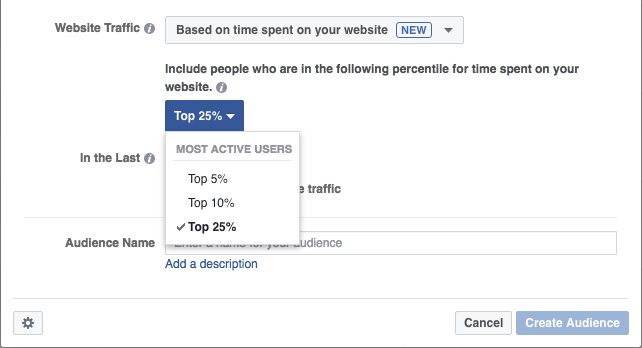
Use the Amount of Time a User Spends on Your Site to Create a Custom Facebook Audience!
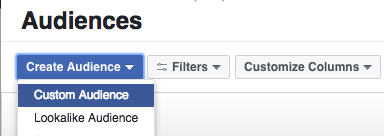
Facebook is now offering a brand new method of creating a Custom Audience and it should excite you if you’re using landing page content to generate leads. Time Spent on Your Website is the newest method Facebook has unveiled to craft a Custom Audience! This could be huge for businesses that are driving customers to a specific landing page to learn/read/view more.
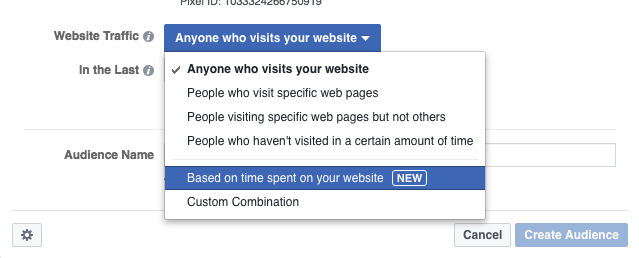
*Note, that this option isn’t available to all advertisers yet as Facebook usually slowly rolls new features out before they’re widely available.
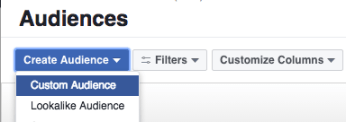
Businesses can drive users to their website and flag them for remarketing, but what good is one giant audience if it doesn’t take into account how engaged that customer actually was? Of course everyone knows this, but if your landing page is educational content that a customer may read/watch and they don’t make any additional actions on your website then you’re kind of up the creek when it comes to segmentation.
Using this new Custom Audience segmentation though you can easily identify who actually spent the most time on your website reading/watching your content. Don’t waste any time, money or effort reengaging with users on Facebook who hit your page and bounced out or maybe stayed for a few seconds and decided they weren’t interested. Now you can actually identify the top percentiles of users based on Time Spent on Website, similar to how you can already do that with Facebook Video and percentage of a video viewed.


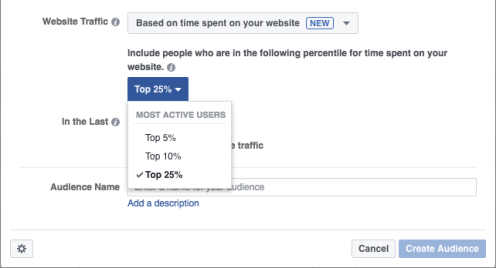
It opens doors for people producing one sheeters, white pages or any other tactic of capturing customers’ attention on a specific landing page to learn more. People may be interested, but not necessarily engaged. So identify who has devoted the most time to the content you produced and reengage. This is just the latest example of how you can narrow the funnel and sell on social.
-
Ambiguity is the Enemy of Attribution: Facebook to Roll Out Store Visits Tracking
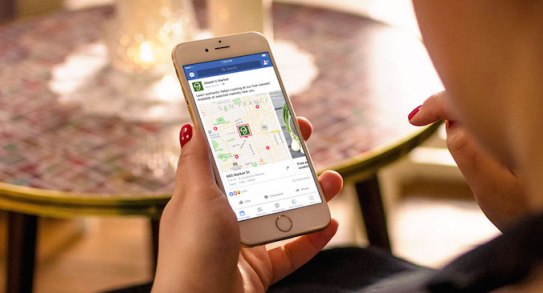 We’re getting closer to closing the loop on digital marketing. Ambiguity is the enemy of attribution. Facebook just announced it will soon begin rolling out its own Store Visits tracking functionality for ad campaigns.
Google started the trend when it launched a very similar program nearly two years ago to track Store Visits after a user saw or clicked a business’ ad. However, this is still something that requires a very large threshold of clicks and quite frankly geographical footprint. It’s not accurate enough yet for small business owners to take advantage of. It looks like Facebook may be identifying an opportunity to strike while the iron is hot.
Ask any digital marketer working with a brick-and-mortar business what the biggest challenge is and they will tell you attribution. I hear it all the time from clients that understand they need to run digital and social campaigns and may even acknowledge they are performing well, but what does that really mean to them? Without any real data on how much foot traffic these campaigns are driving there will always be that question mark. Unless of course you have a client where you can tie in with their in-house Point-Of-Sales (POS) system to track purchases, but that’s not always available.
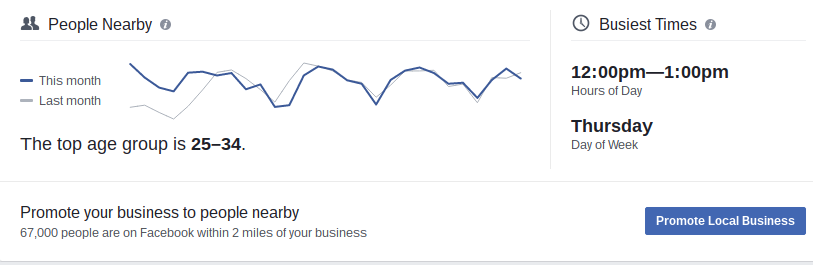
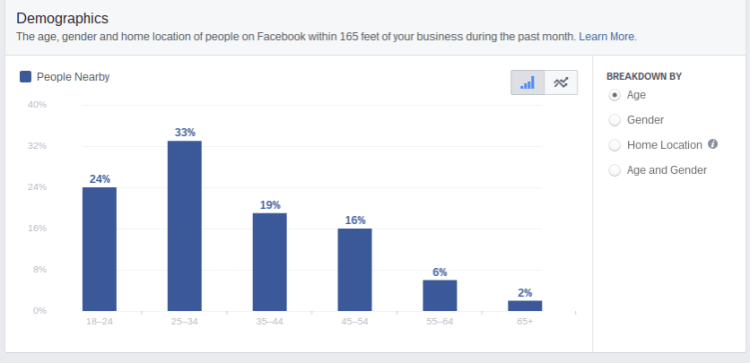
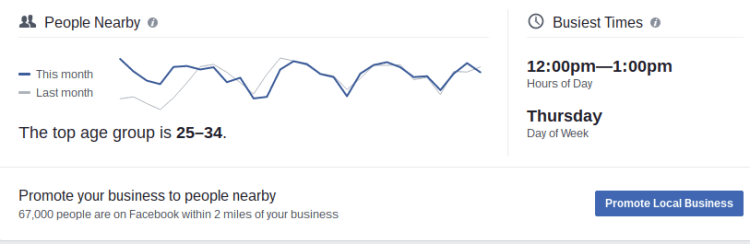
So over the next few months Facebook will begin rolling out its own Store Visits tracking, which makes a ton of sense considering that its Local Awareness Ads are designed to drive this exact action. I think we saw the early glimpses of this with Local Insights, which can be found in your Facebook business page’s Insights and then under Local. An incredibly effective tool that can tell you loads of information about which kind of people your ads are reaching nearby your location, what their demographics are, what times are most popular etc. to help optimize your local ads. You can actually narrow the radius down to as tight as 165 feet around the location!
 The No. 1 biggest regret for Google in my opinion was the failure to launch of Google+. For any Store Visits tracking to work Google requires people to have their Location Tracking on their phone enabled, as does Facebook but so many more people allow it because as a social platform it provides that additional value (check-ins, local reviews etc.). If Google could have gotten G+ to take off like it hoped, combined with its treasure trove of data on user intent, they would have ran the world. So utilizing that location tracking information along with wi-fi signals, Facebook will be able to coordinate when a user sees or clicks and ad and goes within that business’ geo-fenced area.
If you tell a client that his Local Awareness ad got 850 Clicks and drove 100 Calls he may say that’s great, but if you’re able to tell a client this campaign specifically drove 250 people directly into their store? Now that is valuable data.
Facebook will also be rolling out the ability to connect Ads Reporting with a location’s POS system to track sales via the Offline Conversions API.
“Advertisers now have a way to connect transactions that take place in store or over the phone to their ads. The Offline Conversions API allows businesses to match transaction data from their customer database or point-of-sale system to Ads Reporting, helping them better understand the effectiveness of their ads in real-time. Businesses can work with partners such as IBM, Index, Invoca, Lightspeed, LiveRamp, Marketo and Square or with Facebook directly.”Facebook says these functionalities will be rolling out to all advertisers globally in the coming months so start getting your clients prepared now.